

Step-by-Step Guide to Register and Apply on azag.punjab.gov.pk Portal
The azag.punjab.gov.pk portal is the Punjab Government’s official platform for applying to various government schemes, including the CM Punjab Asaan Karobar Card, Punjab Socio-Economic Registry, and more. This step-by-step guide will help you understand how to register, log in, and use the portal efficiently.
📝 Step-by-Step Guide to Use azag.punjab.gov.pk
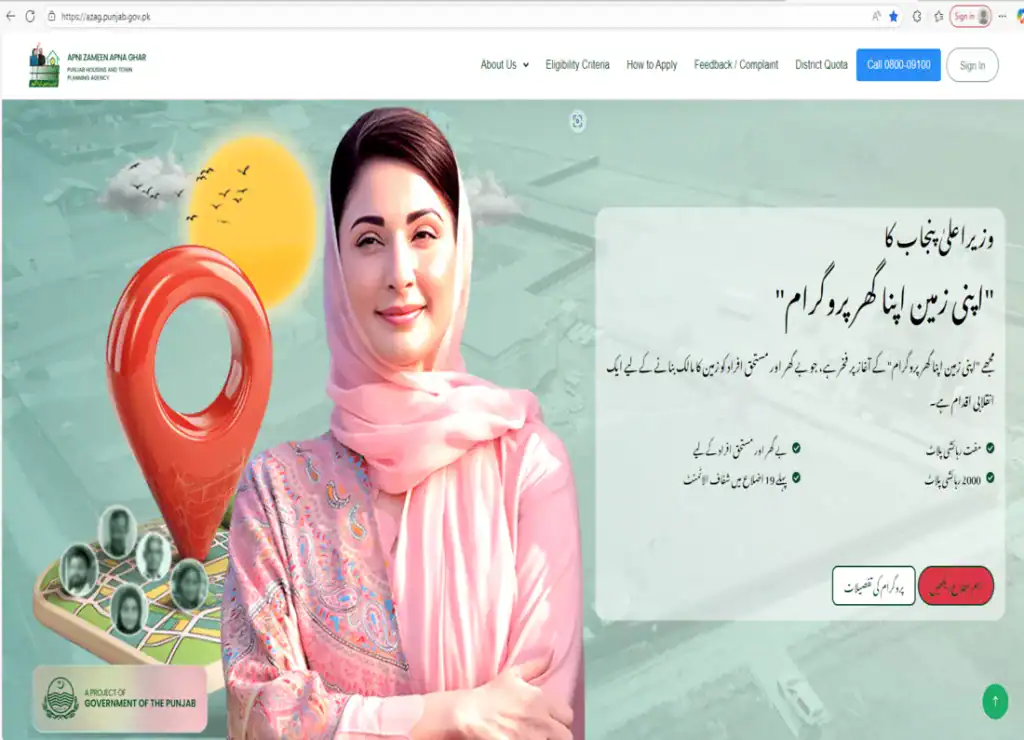
- Step 1: Visit https://azag.punjab.gov.pk/
- Step 2: Click on the “Register” button at the top right corner of the homepage.
- Step 3: Enter your CNIC (13-digit without dashes) and phone number.
- Step 4: You will receive an OTP (One-Time Password) via SMS. Enter the OTP to verify your identity.
- Step 5: Complete your profile with the required details including your name, district, tehsil, and profession.
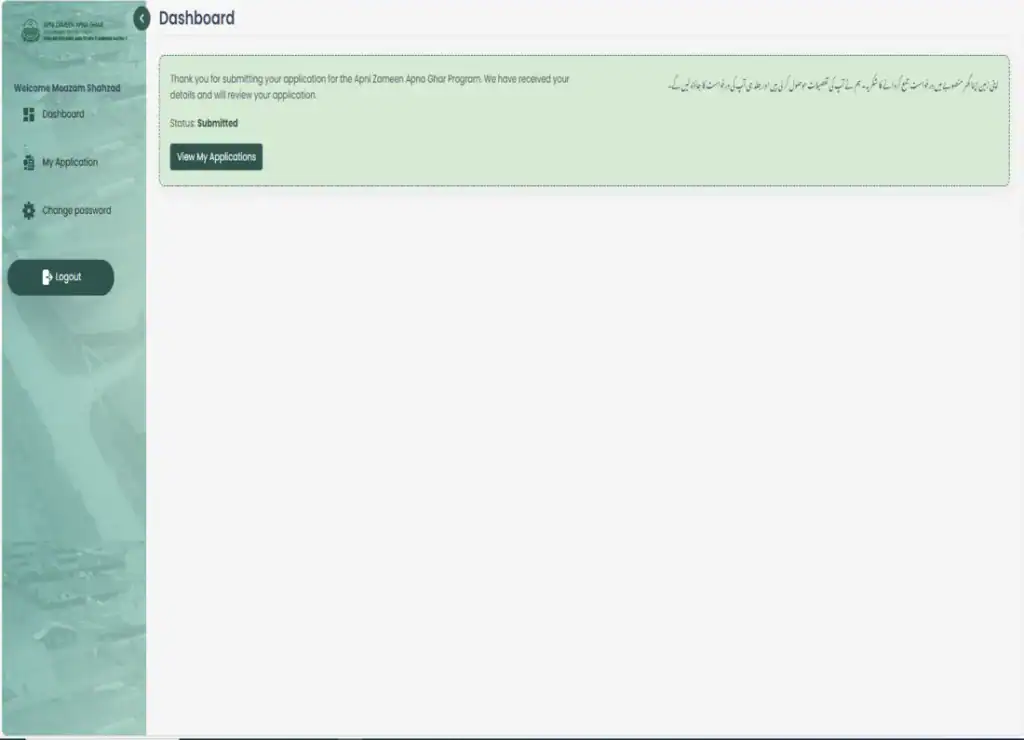
- Step 6: Once your profile is complete, you can apply for any available government scheme listed on the dashboard.
⚠️ Common Issues and Solutions
- Didn’t receive OTP? Ensure your phone number is active and not on DND (Do Not Disturb).
- Invalid CNIC Error? Double-check that you’ve entered the 13-digit CNIC without dashes.
- Form not submitting? Make sure all required fields are filled and documents uploaded correctly.
📌 Useful Tips
- Use Google Chrome browser for best compatibility.
- Keep a scanned copy of your CNIC and recent photo ready.
- Regularly check your dashboard for scheme status updates.
🔗 External Links
- Official Portal: azag.punjab.gov.pk
- Punjab Government Schemes: punjabgovtschemes.pk
- More Jobs: Click here
📘 azag.punjab.gov.pk کیسے استعمال کریں – پنجاب حکومت کے پورٹل کا مکمل رہنما
azag.punjab.gov.pk پورٹل پر رجسٹریشن اور درخواست دینے کا مرحلہ وار طریقہ
azag.punjab.gov.pk پنجاب حکومت کا آفیشل پورٹل ہے جس کے ذریعے آپ مختلف سرکاری سکیموں جیسے کہ آسان کاروبار کارڈ اور سوشیو اکنامک رجسٹری کے لیے اپلائی کر سکتے ہیں۔ نیچے مکمل مرحلہ وار گائیڈ دی جا رہی ہے۔
📝 مرحلہ وار گائیڈ
- مرحلہ 1: وزٹ کریں: https://azag.punjab.gov.pk/
- مرحلہ 2: ہوم پیج کے اوپر دائیں جانب “رجسٹر” پر کلک کریں۔
- مرحلہ 3: اپنا 13 ہندسوں والا شناختی کارڈ نمبر اور موبائل نمبر درج کریں۔
- مرحلہ 4: آپ کو موبائل پر OTP موصول ہوگا، وہ درج کریں۔
- مرحلہ 5: اپنی پروفائل مکمل کریں جیسے کہ نام، ضلع، تحصیل، پیشہ وغیرہ۔
- مرحلہ 6: اب آپ دستیاب تمام سکیموں میں درخواست دے سکتے ہیں۔

⚠️ عام مسائل اور ان کے حل
- OTP نہیں آیا؟ اپنے موبائل نمبر کی درستگی چیک کریں اور DND موڈ آف کریں۔
- شناختی کارڈ غلط آ رہا ہے؟ 13 ہندسے بغیر ڈیش کے درج کریں۔
- فارم جمع نہیں ہو رہا؟ تمام فیلڈز درست اور مکمل کریں اور دستاویزات اپ لوڈ کریں۔
📌 مفید مشورے
- گوگل کروم براؤزر استعمال کریں۔
- شناختی کارڈ اور تصویر کی سکین کاپی پہلے سے تیار رکھیں۔
- اپنے ڈیش بورڈ پر وقتاً فوقتاً سکیموں کی اپڈیٹس چیک کریں۔
🔗 اہم روابط
- آفیشل پورٹل: azag.punjab.gov.pk
- پنجاب گورنمنٹ سکیمز: punjabgovtschemes.pk
- مزید نوکریاں: یہاں دیکھیں








M Ali
May boht ghriba insan ho please help me Mary pass ghr ni hy